Compare
Looking for a WeShop AI alternative?
WeShop is built around people: you pick a model from their library, and that model shows your product. Cheeppy is built around the scene — a Recipe built by our creators, with your product placed in it. Both put a product in front of a camera; they start from opposite ends.
Orientation
Two tools, two jobs.
Their focus
WeShop AI
An AI image and video generator built around people: pick a model, swap the face, and have that model showcase your product.
Cheeppy
Cheeppy
A product studio: you upload one product photo, pick a Recipe — a scene built by our creators, with its light, framing and pose — and the product is placed in it. Then you re-shoot that result from new angles, put it in every format, make a short film of it, and send it to your store. Models exist here too, but on the Recipes built around a person — the scene comes first.
How they work
Where WeShop AI and Cheeppy differ.
The axes that matter here are about people and scenes — not a feature checklist.
| WeShop AI | Cheeppy | |
|---|---|---|
| Where you start | Pick a model, then a location. | Pick a Recipe — a scene with its light, framing and pose — then add your product. |
| Choosing the look | Choose the generative model by name, then a composition mode. | Choose a scene built by our creators. There is no model to pick and no prompt to write. |
| People in the image | A stated library of 200+ human models, reusable across visuals. | A cast you reuse on compatible Recipes. Not every Recipe has a person in it. |
| After the first image | Re-run with another model or location. | Re-shoot the exact image you kept, from new angles, same product and light. |
| Getting it to the store | Web, iOS, Android and an API. | Connect Shopify, WooCommerce or Wix, create from a real listing and send the image back to it. |
Where you start
- WeShop AI
- Pick a model, then a location.
- Cheeppy
- Pick a Recipe — a scene with its light, framing and pose — then add your product.
Choosing the look
- WeShop AI
- Choose the generative model by name, then a composition mode.
- Cheeppy
- Choose a scene built by our creators. There is no model to pick and no prompt to write.
People in the image
- WeShop AI
- A stated library of 200+ human models, reusable across visuals.
- Cheeppy
- A cast you reuse on compatible Recipes. Not every Recipe has a person in it.
After the first image
- WeShop AI
- Re-run with another model or location.
- Cheeppy
- Re-shoot the exact image you kept, from new angles, same product and light.
Getting it to the store
- WeShop AI
- Web, iOS, Android and an API.
- Cheeppy
- Connect Shopify, WooCommerce or Wix, create from a real listing and send the image back to it.
The difference
What Cheeppy does differently.
The scene is the unit
A Recipe carries the light, the framing, the surface and the pose together. You are not assembling a model plus a background; you are choosing a photograph that already works.
The product stays the product
Your item is reproduced from your photo — colour, material, engraving — and placed in the scene. It is not described and redrawn.
New angles of a result you approved
When one image is right, Photoshoot re-shoots that exact image closer, from the side, low, or as a detail — so the gallery is one shoot, not five tries.
Straight into the product page
Pick the product from your connected store, generate, and send the finished image back to its gallery.
Honestly
When WeShop AI is the better fit.
No tool wins every row. Here is where WeShop AI is the sensible choice.
Pick WeShop AI if
you are dressing garments on people and want a large library of faces and body types to choose from
Pick WeShop AI if
you want to choose the underlying generative model yourself, by name
Pick WeShop AI if
you need many jobs running at the same time
Proof
What Cheeppy produces.
One cut-out, several scenes, and a cast you can keep on the next product.
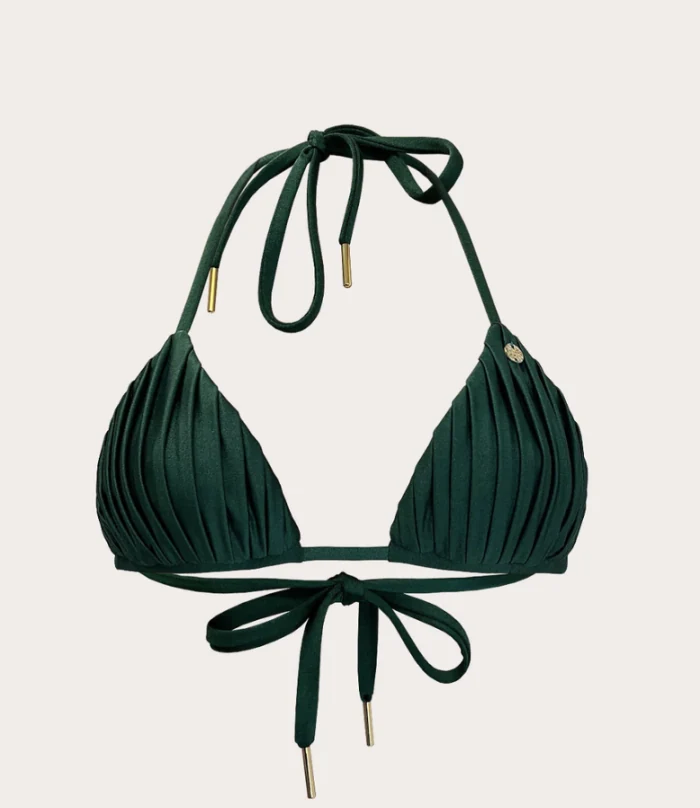
Your cut-out 
Generated 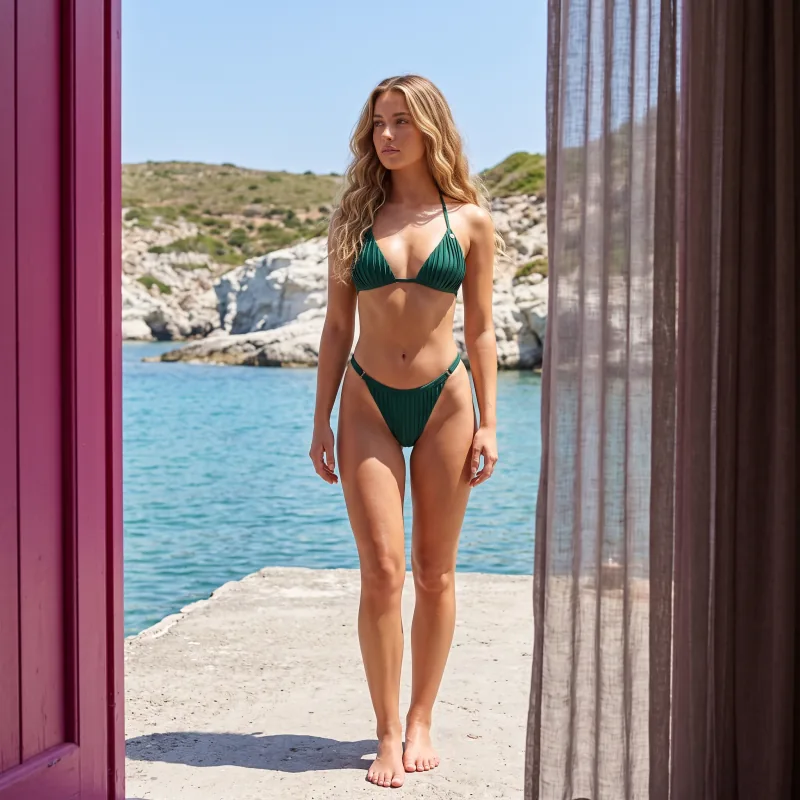
Another scene 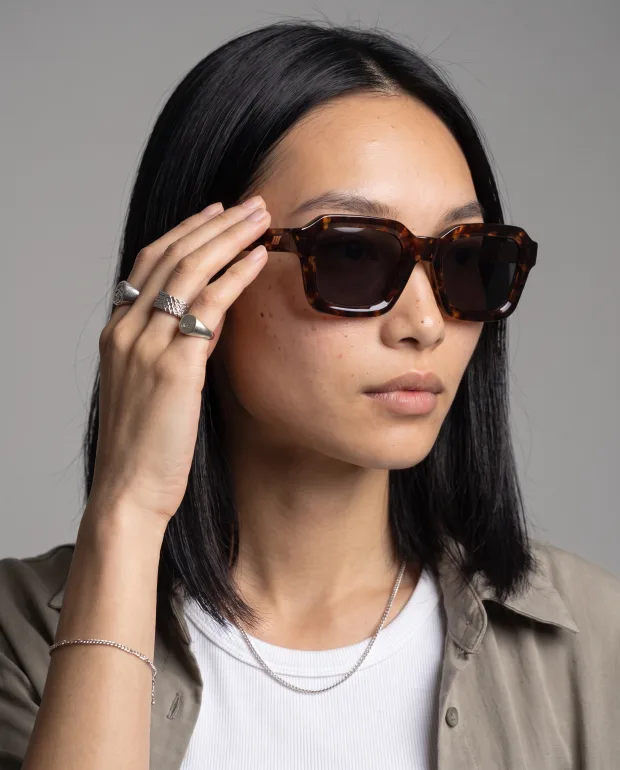
Same cast, next product
Pricing
What each one costs.
WeShop AI
Their entry paid plan is Pro at $9.99/month (or $7.99/month billed annually), on a points system, with a free trial tier. Checked 2026-09-22 — their prices move, so check theirs.
Cheeppy
Paid plans from $20/mo, and up to 100 free credits to try first — no card. You own what you generate, on every plan.
FAQ
Questions
- Does Cheeppy do on-model images?
- Yes, on the Recipes built around a person: cast a model once and reuse them across the range, so a collection reads as one campaign. Not every Recipe supports a model — each one says whether it does.
- Can I keep the same face across products?
- Yes. That is what the cast is for: one model, reused on every compatible Recipe.
- Do I have to write a prompt?
- No. You pick a Recipe. The creative direction is already made.
- Can I send the images to my store?
- On Shopify, WooCommerce and Wix, yes — one image per action, added to the product gallery.
Sources
What this page says about WeShop AI comes from their own site, checked on : www.weshop.ai · www.weshop.ai/member · www.weshop.ai/ai-product-photography. Products change — check theirs before you decide.
Try it with your own product.
Up to 100 free credits, no card. Try it with your own product and compare the result, not the feature list.