Compare
Looking for a SellerPic alternative?
SellerPic is built around try-on: a model wearing your apparel, jewelry or accessories, plus shoppable video. Cheeppy is built around the scene, with a reusable cast on the Recipes that have a person in them. They overlap on on-model imagery and diverge everywhere else.
Orientation
Two tools, two jobs.
Their focus
SellerPic
AI fashion models and product images for ecommerce, with shoppable video.
Cheeppy
Cheeppy
A product studio: you upload one product photo, pick a Recipe — a scene built by our creators, with its light, framing and pose — and the product is placed in it. Then you re-shoot that result from new angles, put it in every format, make a short film of it, and send it to your store. The cast is reusable, so the same face carries a whole collection.
How they work
Where SellerPic and Cheeppy differ.
The axes here are about the person and the consistency across products.
| SellerPic | Cheeppy | |
|---|---|---|
| The core idea | Virtual try-on: put the item on a model. | A photographic scene, with a model in it when the Recipe calls for one. |
| Item types | Apparel, jewelry and accessories try-on. | Any product; a person appears only on compatible Recipes. |
| Consistency across products | Describe the model each time. | Cast a model once and reuse them on every compatible Recipe. |
| Video | Image to video for shoppable content. | A short silent film from the same product photo and a video Recipe. |
| Store workflow | Shopify app and an iOS app. | Shopify, WooCommerce and Wix, with the image sent back to the product page. |
The core idea
- SellerPic
- Virtual try-on: put the item on a model.
- Cheeppy
- A photographic scene, with a model in it when the Recipe calls for one.
Item types
- SellerPic
- Apparel, jewelry and accessories try-on.
- Cheeppy
- Any product; a person appears only on compatible Recipes.
Consistency across products
- SellerPic
- Describe the model each time.
- Cheeppy
- Cast a model once and reuse them on every compatible Recipe.
Video
- SellerPic
- Image to video for shoppable content.
- Cheeppy
- A short silent film from the same product photo and a video Recipe.
Store workflow
- SellerPic
- Shopify app and an iOS app.
- Cheeppy
- Shopify, WooCommerce and Wix, with the image sent back to the product page.
The difference
What Cheeppy does differently.
One cast, a whole collection
The same face across products is what makes a catalog look like one campaign, rather than a set of separate try-ons.
The scene, not just the person
Light, surface and framing come with the Recipe — the model is part of a photograph, not pasted onto a backdrop.
Angles from the result you kept
Closer, three-quarter, low, a detail — same model, same light.
Still-life too
Plenty of Recipes have no person at all, for the product-page shot.
Read more
Honestly
When SellerPic is the better fit.
No tool wins every row. Here is where SellerPic is the sensible choice.
Pick SellerPic if
you need virtual try-on specifically, including on jewelry and accessories
Pick SellerPic if
you want stills and short shoppable video from one tool
Pick SellerPic if
you want a Shopify app and a phone app alongside the web
Proof
What Cheeppy produces.
The same face, product after product.
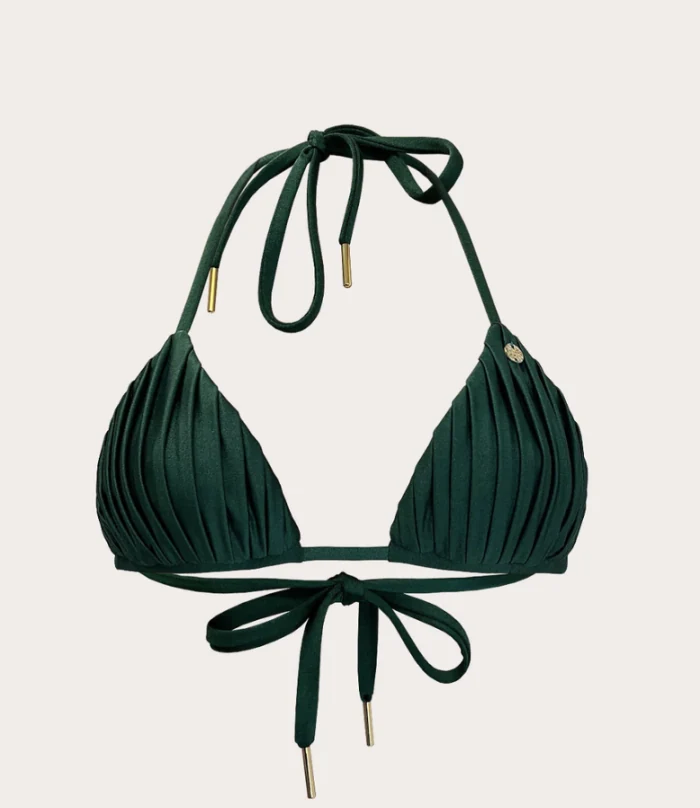
Your cut-out 
Generated 
Another scene 
Same cast, next product
Pricing
What each one costs.
SellerPic
Their pricing is not quoted here — check SellerPic’s current pricing on their site, it changes more often than a comparison page does.
Cheeppy
Paid plans from $20/mo, and up to 100 free credits to try first — no card. You own what you generate, on every plan.
FAQ
Questions
- Does Cheeppy do try-on?
- Not as a try-on tool. On Recipes built around a person, the product is worn by a cast model — the scene is the unit, not the fitting.
- Can I keep the same model?
- Yes. Cast once, reuse across every compatible Recipe.
- Does it work for jewelry?
- Yes — worn and product-only, with the caveat that scale on very small pieces depends on your source photo.
Sources
What this page says about SellerPic comes from their own site, checked on : www.sellerpic.ai. Products change — check theirs before you decide.
Cast a model on your own product.
Up to 100 free credits, no card. Try it with your own product and compare the result, not the feature list.