Compare
Looking for a remove.bg alternative?
remove.bg does one thing extremely well: it gives you a cutout. Cheeppy takes that same product and puts it somewhere — a scene with light, a surface and, where the Recipe calls for it, a person. If a transparent PNG is the deliverable, remove.bg is the cheaper and faster answer.
Orientation
Two tools, two jobs.
Their focus
remove.bg
One job, done automatically: remove the background from an image and return a transparent PNG or a white background.
Cheeppy
Cheeppy
A product studio: you upload one product photo, pick a Recipe — a scene built by our creators, with its light, framing and pose — and the product is placed in it. Then you re-shoot that result from new angles, put it in every format, make a short film of it, and send it to your store. The cutout is a step here, not the output: your product is isolated on the way into the scene.
How they work
Where remove.bg and Cheeppy differ.
The axis is whether you want the background gone or replaced.
| remove.bg | Cheeppy | |
|---|---|---|
| The deliverable | A cutout: transparent PNG or a white background. | A photograph: your product in a scene with its own light. |
| The background | Removed. | Replaced by a built scene, or by a solid colour on compatible Recipes. |
| People | None. | Cast models on the Recipes built around a person. |
| After the image | A magic brush for manual correction. | New camera angles, other ratios, a short film from the same photo. |
| Automation | An API, a desktop app, Photoshop and Figma plugins. | No API: you work in the app, product by product. |
The deliverable
- remove.bg
- A cutout: transparent PNG or a white background.
- Cheeppy
- A photograph: your product in a scene with its own light.
The background
- remove.bg
- Removed.
- Cheeppy
- Replaced by a built scene, or by a solid colour on compatible Recipes.
People
- remove.bg
- None.
- Cheeppy
- Cast models on the Recipes built around a person.
After the image
- remove.bg
- A magic brush for manual correction.
- Cheeppy
- New camera angles, other ratios, a short film from the same photo.
Automation
- remove.bg
- An API, a desktop app, Photoshop and Figma plugins.
- Cheeppy
- No API: you work in the app, product by product.
The difference
What Cheeppy does differently.
Somewhere, not nowhere
A cutout removes the background; a Recipe gives the product a place to be.
The light belongs to the scene
That is what makes a product look photographed rather than pasted.
Worn and held
On compatible Recipes the product is carried or worn rather than floating.
Marketplace white still available
On compatible Recipes, a plain white backdrop, in the ratio the marketplace asks for.
Honestly
When remove.bg is the better fit.
No tool wins every row. Here is where remove.bg is the sensible choice.
Pick remove.bg if
all you need is a clean cutout, as fast and as cheaply as possible
Pick remove.bg if
you want batch and automation depth — an API, a desktop app, Photoshop and Figma plugins
Pick remove.bg if
you want the reassurance of a tool owned by a large company
Proof
What Cheeppy produces.
Somewhere to be, not just a transparent edge.
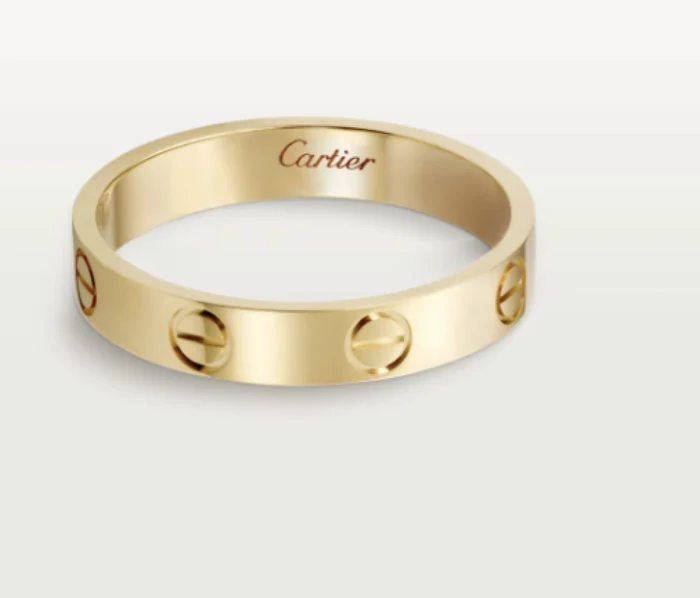
Your photo 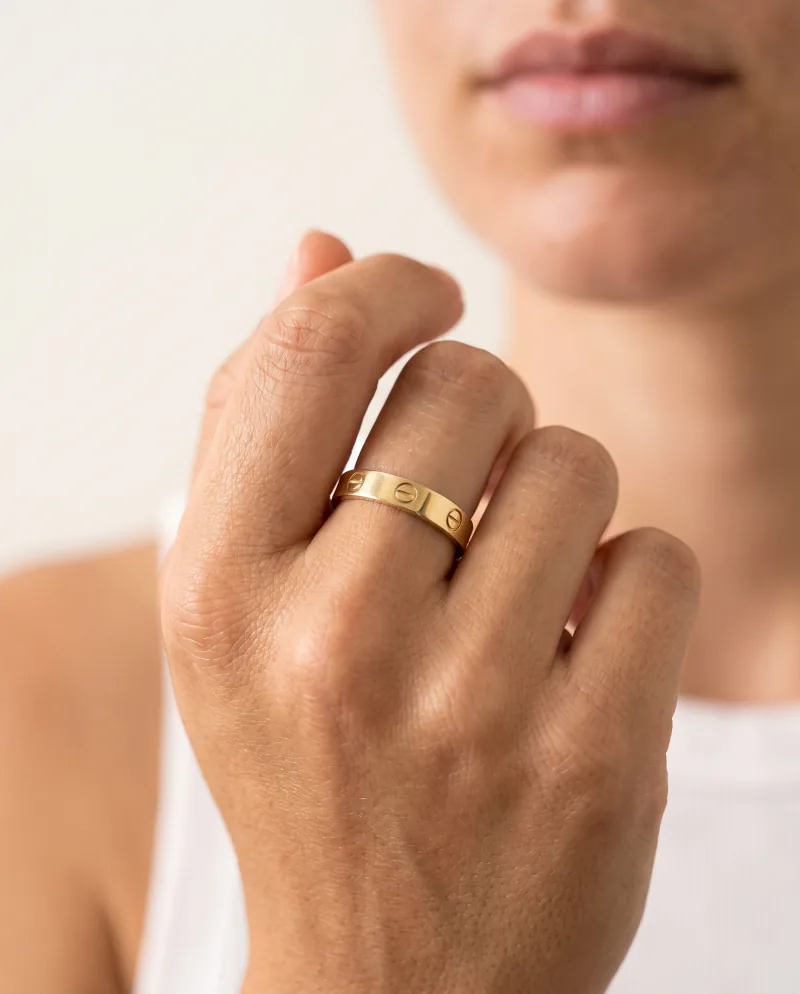
Generated 
Another Recipe 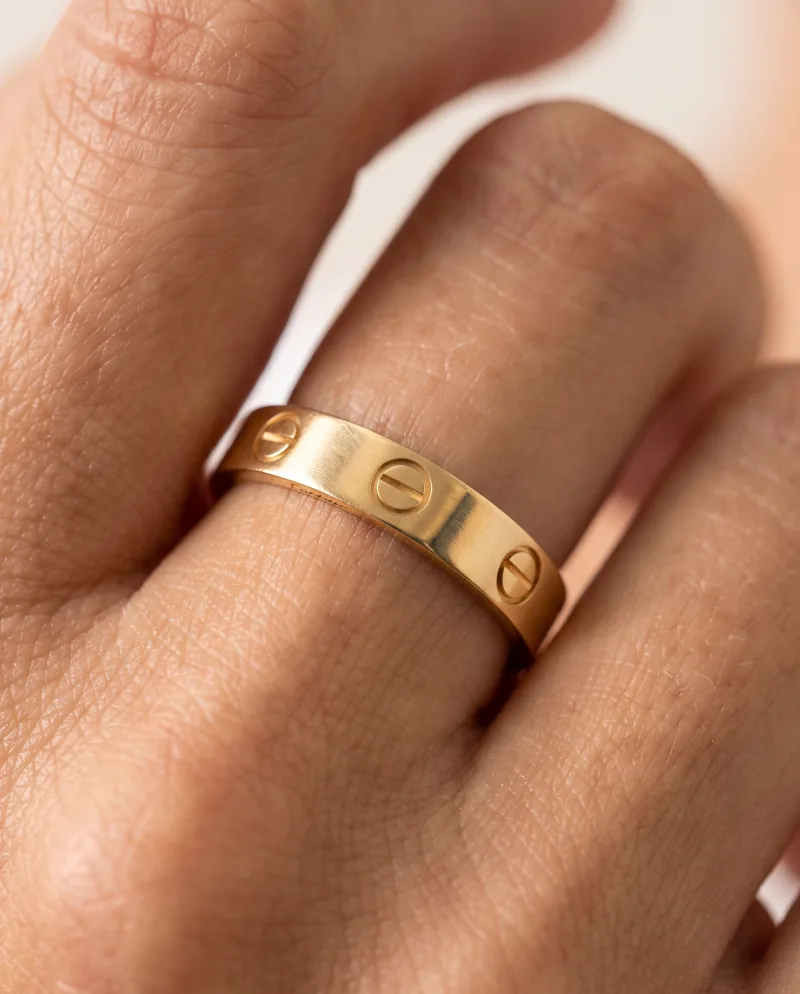
Re-shot closer
Pricing
What each one costs.
remove.bg
Free previews on the web, then credits: their Personal subscription is $9/month for 40 credits, with one-time credit packs from $3 for 3 credits (checked 2026-09-22). One image costs one credit.
Cheeppy
Paid plans from $20/mo, and up to 100 free credits to try first — no card. You own what you generate, on every plan.
FAQ
Questions
- Does Cheeppy remove backgrounds?
- Your product is isolated automatically on its way into a scene. There is no standalone cutout export.
- Can I get a plain white background?
- Yes, on compatible Recipes: set the backdrop to a solid colour, white included.
- Is there an API?
- No. Cheeppy is used in the app, product by product.
Sources
What this page says about remove.bg comes from their own site, checked on : www.remove.bg · www.remove.bg/pricing. Products change — check theirs before you decide.
Put your product in a scene.
Up to 100 free credits, no card. Try it with your own product and compare the result, not the feature list.